What is a short URL?
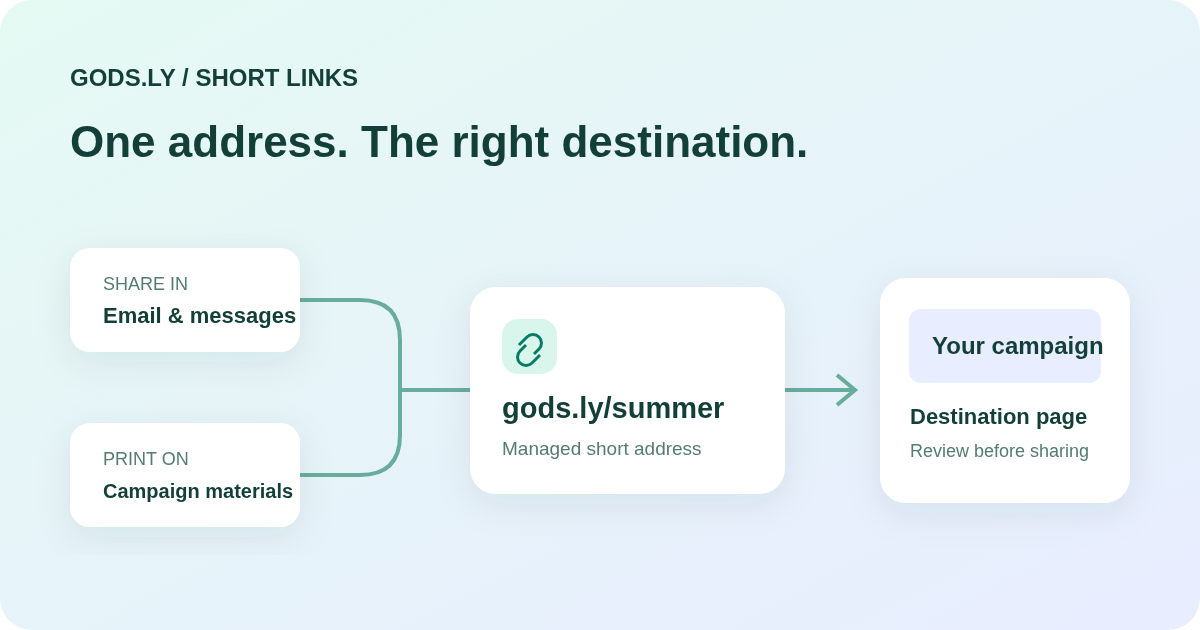
A short URL is a compact web address that redirects a visitor to a longer destination. It can point to a product page, a registration form, a video, a map, or another public website. The address is easier to place in messages, email, printed materials, and social profiles. The shortener does not replace the destination page or make a private page public.
A managed short link keeps the shared address separate from the destination. That distinction is useful when a campaign changes after a link has already been sent. For example, a restaurant can share a readable menu address and update the page behind it without asking customers to use a new address.
1. Check the destination before shortening
Copy the complete HTTP or HTTPS address, including any parameters you need. Open it in a private browser window. Confirm that a customer can access the page without your account, that the content is current, and that the page works on a phone.
Do not include passwords, access tokens, customer details, or confidential information in the URL. Query parameters are visible to people who receive the link and may appear in logs. A URL shortener is not a tool for hiding sensitive information.
2. Create the link and choose a clear short name
In Gods.ly, open Links, choose the URL destination type, and enter the destination. Select an available domain and review the short address. A short name such as menu, book, or event explains the destination more clearly than an internal project code. If you do not need a custom name, use the generated one.
Keep the internal title meaningful for your team. Two links can point to the same destination but serve different campaigns. A title such as October newsletter — booking makes that distinction easier to find later. Custom domain availability depends on your workspace configuration and current package.
3. Use campaign parameters consistently
If you need to distinguish traffic sources, add UTM parameters to the destination before sharing. For example, use utm_source=newsletter, utm_medium=email, and utm_campaign=autumn-launch. Choose one naming convention and keep its spelling and case consistent across your team.
Avoid putting the same universal short link everywhere if you want to compare each placement. Separate links for an email, a printed poster, and a partner post give those placements distinct identities. Clicks measure visits to the short address; they do not by themselves prove a sale, a unique person, or a successful booking.
4. Test the complete customer journey
Create the link, copy the actual public address, and open it in a clean browser. Check that the intended destination appears and that its main action works. Test on mobile as well as desktop. If you set availability dates or audience rules, test the allowed and unavailable states before distribution.
For printed materials, put the short address next to the QR code so a visitor can type it if scanning is inconvenient. Never approve a large print run based only on the preview in the editor. Test the exported artwork at its intended print size.
5. Keep ownership and availability clear
Review a live campaign periodically. Update the destination deliberately, and check the same public address after the change. If the campaign ends, archive the link or apply an appropriate expiration rule. An archived link should stop sending visitors to its former destination.
Keep the short domain active for as long as you rely on printed or previously shared addresses. Domain renewal, account access, and workspace ownership are part of link reliability. A short name cannot protect a campaign if the domain itself expires.
Questions to consider before publishing
Can I change the destination? A managed link can be updated from its workspace, subject to the available controls. Will shortening improve search rankings? A shorter address alone does not make the destination more relevant or guarantee rankings. Is every shortened link safe? No. Review the actual destination; automated checks cannot guarantee that every page is harmless.
Start with one customer journey, test it end to end, and use analytics to identify what needs improvement. Review the current package limits before adding more campaign placements or collaborators.