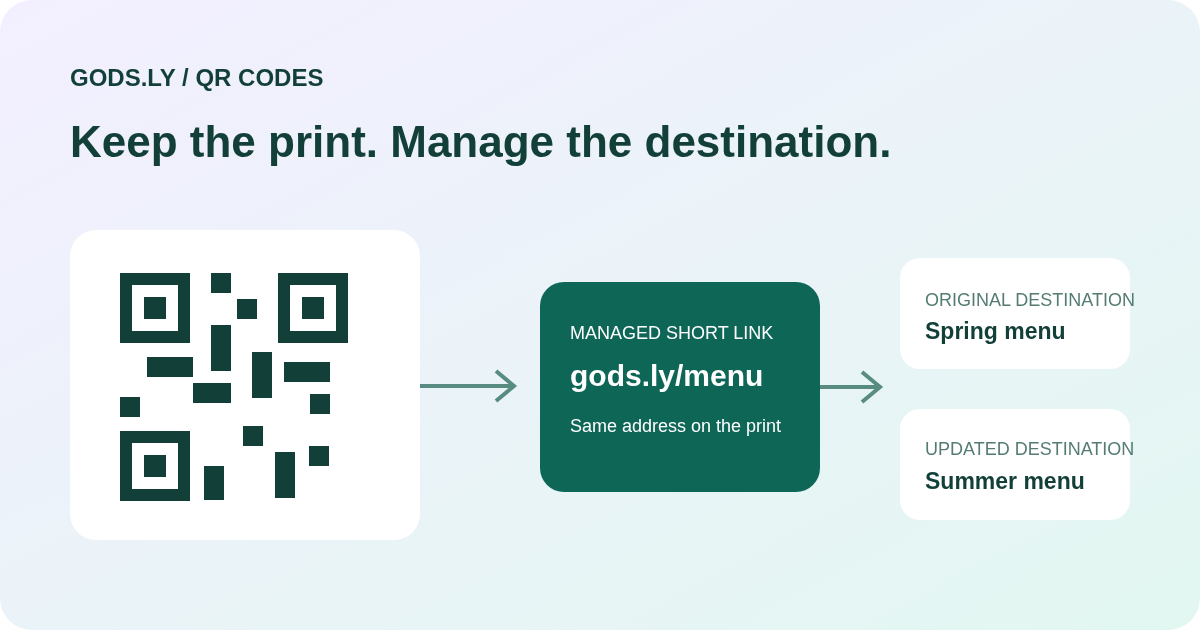
The difference is what the QR code contains
A static QR code contains its final information directly, such as a website address or plain text. A dynamic QR code usually contains a managed short address that redirects to a destination. The printed pattern does not change when the owner updates the destination behind that address.
Dynamic does not mean that a printed code changes its pixels. It means that a service manages where the encoded address leads. Understanding this distinction helps you decide whether a simple fixed code or an actively managed address fits the job.
When a static code is a sensible choice
Use a static code when its information is stable and you do not need to manage it later. Examples include a fixed reference address or a small piece of text that should be read directly. There is no redirect service to maintain if the information itself is encoded in the code.
A static website code still depends on the destination website remaining available. If that URL changes, the printed pattern cannot be edited. You will need new artwork unless the original website address can itself redirect visitors elsewhere.
When a dynamic code is more useful
A managed destination is useful for menus, event information, offers, packaging, and materials that stay in circulation after the first publication. You can update the associated short link when a new menu or landing page is ready, then test the same printed code again.
In Gods.ly, use a managed link as the destination for a dynamic QR workflow. Keep its internal name, owner, and purpose clear. The code remains dependent on the link, domain, and account staying available. Review current package limits and renewal terms before relying on it for a long print campaign.
What scan reporting can and cannot tell you
A managed redirect can record visits to its address and support campaign reporting. Use distinct addresses for different posters or locations if you need to compare placements. Give those addresses consistent campaign labels so the team can interpret the results.
Do not describe every recorded visit as a unique customer, confirmed scan, or sale. Browser behavior, previews, bots, and repeat visits can affect counts. Compare link activity with the destination’s actual outcomes, such as completed forms or bookings, instead of assuming that every visit converts.
Design and print for real scanning conditions
Use strong contrast, leave clear space around the code, and choose a size appropriate for the distance and surface. Avoid placing important parts of the pattern over a busy image or across a fold. Decorative styling should not make the code difficult to recognize.
Download the artwork and test it with different phones at its actual printed size. Test the final surface when possible, including lighting and reflection. Show a readable short address beside the code, and clearly state what people will open, such as View menu or Register for the event.
A publishing workflow that avoids reprints
First choose the destination and decide whether it is likely to change. For a managed campaign, create the short link, generate the QR artwork, test the public route, and then approve the print. Keep the exported file and workspace record associated with the same campaign.
When updating the destination, check that the new page is publicly accessible and works on a phone. Save the change, scan the existing printed code, and confirm the intended page opens. If the campaign ends, provide an appropriate unavailable state rather than quietly sending visitors to unrelated content.
Choose based on ownership, not the label alone
A static code is often enough for permanent information. A dynamic code is a better operational fit when the destination needs controlled updates or placement reporting. Neither label guarantees unlimited availability, automatic conversions, or universal scanning performance.
Before publishing, decide who owns the short domain, who may edit the link, how the campaign will be monitored, and what happens when it ends. Those decisions matter as much as the appearance of the code.